Repeated form submissions don’t always come from cookies or browser refreshes.
Sometimes, users try to submit the same form multiple times from the same network. That’s where Limit submissions by IP address in WordPress becomes essential.
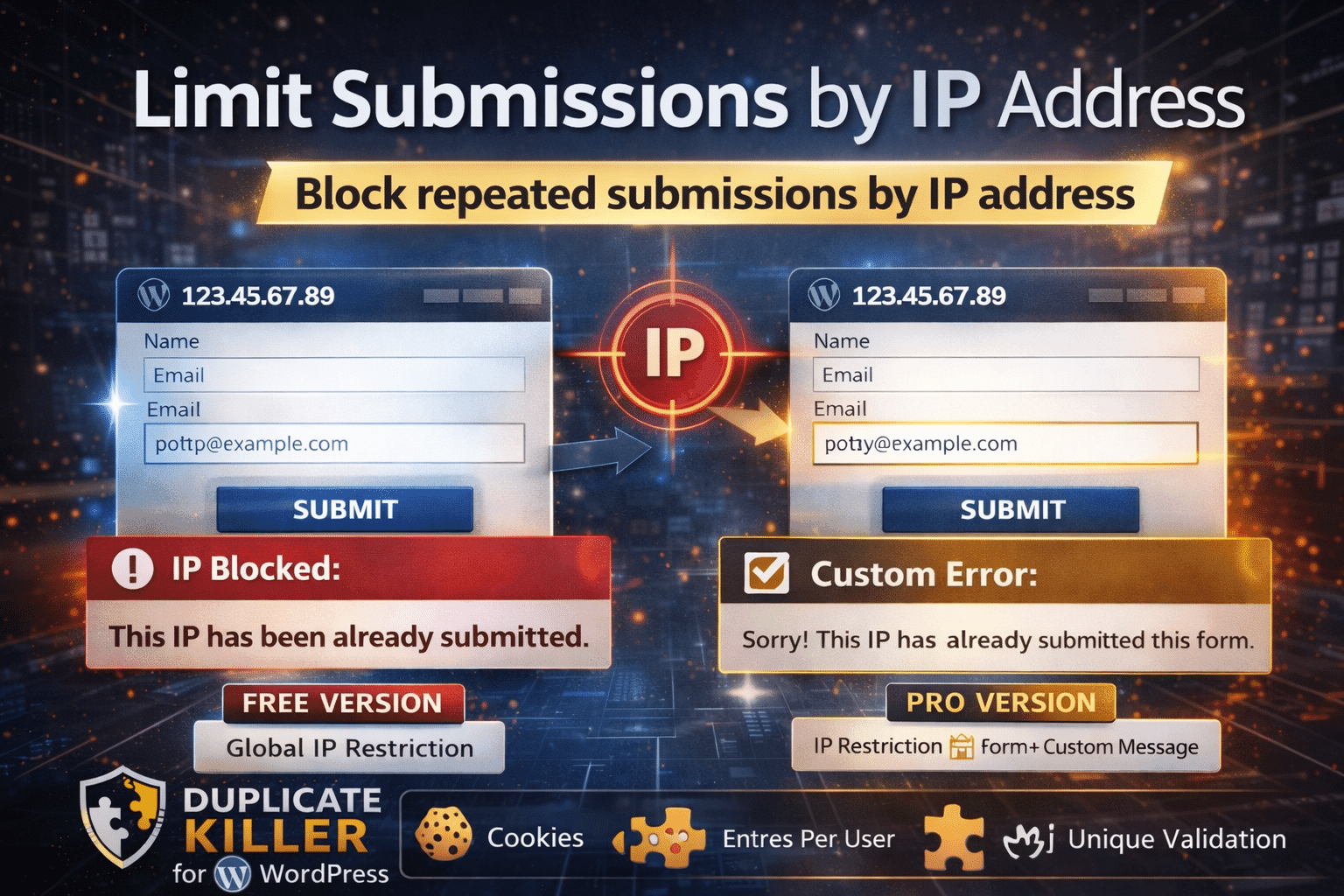
This feature restricts form entries based on the visitor’s IP address for a defined number of days.
What Does Limit Submissions by IP Address in WordPress Do?
When you activate Limit submissions by IP address in WordPress, the plugin records the IP address after a successful submission.
If the same IP tries to submit again within the configured time period:
- The submission is blocked
- The entry is not saved
- An error message is displayed
This ensures stronger control compared to cookie-only restrictions.
How It Works
The logic is simple:
- A visitor submits a form.
- The system stores the IP address.
- The IP is restricted for X days.
- If the same IP submits again during that period, the submission is rejected.
Example:
If the IP block duration is set to 7 days, that IP cannot submit again for 7 days.
After the restriction expires, submissions are allowed again.
How It Works in the Free Version
In the Free version, the feature is:
✔ Global
✔ Applies to all supported forms
✔ Uses a single IP block duration setting
You can:
- Activate this function
- Set the IP block duration (in days)
However:
The error message displayed is global and not customizable per form.
This makes the Free version simple and effective for site-wide IP protection.
How It Works in the PRO Version
In the PRO version, you get advanced control.
In addition to the global setting, you can:
✔ Enable IP restriction per individual form
✔ Define a custom error message for each form
✔ Customize the user experience depending on context
This means:
- One form can have a 7-day block
- Another form can have a different duration
- Each form can display a different custom message
Example custom message:
This IP has already submitted this form.
This flexibility is ideal for complex websites or high-traffic platforms.
IP Block Duration (in Days)
This setting controls how long the restriction remains active.
Example:
IP block duration: 7 days
Meaning:
- The same IP cannot submit again for 7 days
- After 7 days, submissions are allowed
You can choose:
- 1–3 days for soft protection
- 7 days for moderate restriction
- 30+ days for strong anti-abuse control
Important Considerations
Because this feature relies on IP addresses:
- Users on shared networks may share the same IP
- Office or school networks may be affected
- VPN users may change IP addresses
For maximum protection, combine:
- Unique entries per user (cookies)
- Global unique validation
- IP-based restriction
When Should You Use IP Restriction?
Use Limit submissions by IP address in WordPress when:
✔ You run voting systems
✔ You want to prevent spam or abuse
✔ You manage limited registrations
✔ You need stronger submission control
This feature adds a powerful layer of protection to your forms.